


DAZN - Watch Live Sports
4.410.52K Reviews
App Specs
- Version
- Varies with Device
- Updated On
- License
- Free
- Downloads
- 50,000,000+
- Developer
- DAZN
- Categories
- Sports
- Platform
- Android, iOS
Screenshots

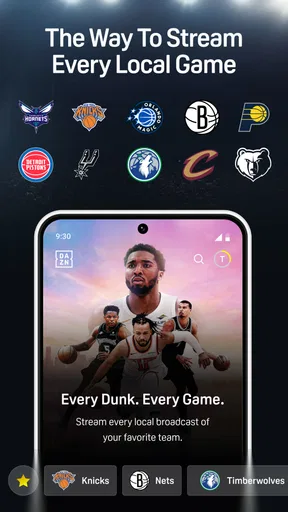
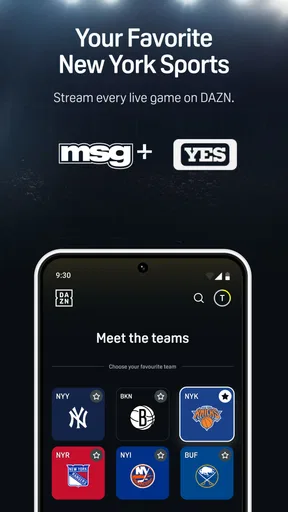
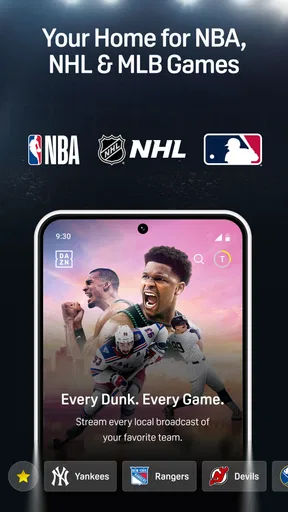
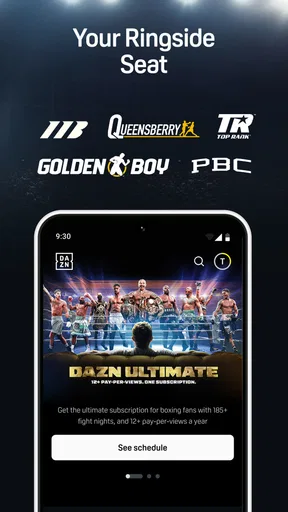
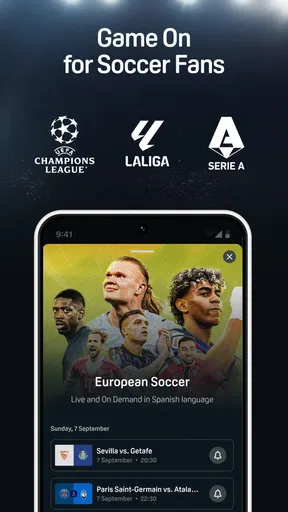
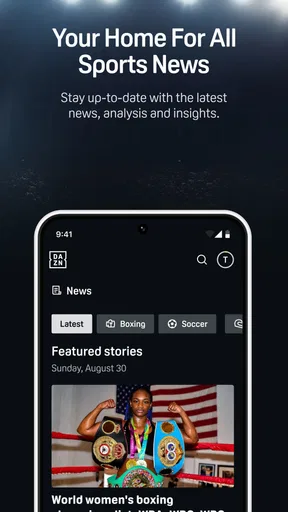

 Analysis by AppCompare
I look at a live-sports app a little differently from an ordinary video service: the stream matters, but so does knowing what I’m signing up for and whether the viewing choices suit my habits. DAZN is a sports app from DAZN, with boxing, MMA and football among the events it brings together. I’d consider it when I want a dedicated place to follow live sport, rather than another general entertainment library.
DAZN is free to install, but that should not be confused with every event being free to watch. The app offers in-app purchases, with individual items ranging from a small charge to a much larger one, so I’d check the options shown in the app before committing to a purchase. Its Teen age rating is another useful point for households deciding whether it fits their viewing setup. With a 4.5 average from around 599,000 ratings and over 50 million installs, it has clearly reached a large audience, though popularity alone can’t tell me whether the sports I care about are available where I live.
What I would check before settling in
Rights to live sport can vary by region, and that matters more here than it does with a broad on-demand service. Before planning a regular routine around DAZN, I’d search for the specific competition, team or fighter I follow and check which events appear in my location. A broad sports catalogue is useful only when it includes the fixtures I actually want to watch.
That check also helps avoid a common misunderstanding: installing the app is not the same as confirming access to a particular broadcast. If I’m choosing it for one big event, I’d look at the event details and purchase options first, rather than assume a general subscription or free download covers it. This is especially worthwhile if I’m comparing DAZN with a broadcaster or sports service I already use.
Controls that shape the experience
When deciding whether to trust a streaming app, I focus on controls I can actually see and use, not assumptions about its policies. In everyday viewing, the meaningful choices are the event I select, when I start watching, and whether I use a purchase option. I’d pause before confirming any paid item and read the terms presented on the purchase screen, particularly if I’m only interested in one match or fight.
For account safety, I’d use a password I don’t reuse elsewhere and keep track of which account I use to sign in. Those are sensible habits for any service with account access or purchases; they don’t depend on guessing what DAZN does behind the scenes. If I share a device, I’d also make a point of signing out when appropriate and checking who can access the account before leaving it ready for someone else.
Moments when I’d be more careful
Live viewing is less forgiving than watching a film: a delay, connection interruption or purchase mistake can matter when the action is happening now. I’d open the app and confirm the event before the start time, especially if I’m watching on mobile data or using a shared screen. If the stream is important, having a stable connection and enough time to troubleshoot is more useful than waiting until the opening minutes.
Worth Reading Before You Choose

Baby Panda World Brings Quick Play to Modern Phones, but Its Game Library Feels Busy

ESPN’s Live Game View Makes Following Close Games Easier

QuizzLand Review: A Good Fit for Short Trivia Breaks, Not Every Player

Basketball Stars: Multiplayer Is Fast, but Can It Recover When Matches Go Wrong?

WEBTOON Turns Phone Updates Into a Better Reading Routine

Link to Windows Runs on Shared Habits, Not Social Feeds
Sports viewing can also reveal personal preferences through the teams, events and searches a person makes. I avoid treating that as proof of any particular data practice; instead, I use the account and device choices available to me, review what I’m agreeing to when signing in or buying access, and avoid entering payment details in a hurry. That small pause is practical, not dramatic, and it helps me make a deliberate choice.
Who gets the most from it
DAZN makes the most sense for someone who follows sports it carries and wants live coverage in a sports-focused app. It may be especially convenient if boxing or MMA is a regular part of your viewing, or if you like checking several kinds of sport in one place. The service has been available since June 22, 2018, and its scale suggests many people use it, but my decision would still come down to local event availability and the way access is sold.
I’d be less enthusiastic if I only watch one occasional fixture that is easier to get through a service I already pay for. I’d also hesitate if my main priority is a guaranteed selection of a specific league or local team, since regional availability can change what’s on offer. For those viewers, a local broadcaster or another sports service with clearly listed rights may be the simpler choice.
How I’d fit it into a real viewing day
Imagine I’m finishing work and want to catch a fight later that evening. I’d check the event in advance, confirm that it is available in my region, and look at the price or access terms before the broadcast begins. Then I’d decide whether to watch on my phone or use a larger screen if that option is available on my setup. This order avoids discovering a regional restriction or a purchase prompt when I’m already settled in.
If I’m watching away from home, I’d also think about the connection and battery before choosing a long live stream. A short highlight or replay can be a better fit when I can’t give an event my full attention; a live broadcast is more rewarding when I can stay with it. That distinction is easy to overlook when the appeal of a live event makes every viewing option seem equally convenient.
Where it sits among sports apps
Compared with a general streaming service, DAZN is built around sport rather than films and series, so it is more relevant when the event itself is the reason I’m opening an app. Compared with a television package, it may feel more convenient for phone viewing, but it is not automatically a replacement: the right choice depends on the competitions available locally, the cost of access and whether you want other channels or entertainment too.
I’d compare it with the options I already have by searching for the same upcoming event in each one, then checking the total cost and any purchase conditions. That is more useful than comparing a broad catalogue in the abstract. For a devoted fan following multiple sports, a dedicated service can simplify discovery; for someone who watches a handful of local games, a broadcaster with those specific rights may offer better value.
My cautious verdict
DAZN is worth considering when its regional coverage matches your interests and you’re comfortable checking the access terms before watching. The key practical question is not whether the app has a long list of sports, but whether it carries the events you’ll genuinely use. I’d treat the free install as a way to explore the app, not as a promise of free access to every live broadcast.
My advice is to verify one event you care about, review any purchase screen carefully and decide whether the app fits your usual viewing routine. If those checks line up, DAZN can be a convenient sports-first option. If they don’t, a local broadcaster or another service with the exact rights you need is likely to be a better match.
If you’re a sports fan like me, you know the struggle of finding a reliable source to catch all the live action. Enter DAZN – a game-changer in the world of sports streaming. I’ve been tinkering with this app for a while now, and let me tell you, it’s got some serious potential to become your go-to for live sports coverage.
Getting Started with DAZN
First things first, downloading and setting up DAZN is a breeze. Available on both Android and iOS, you can grab it from your respective app store. Once installed, setting up an account is pretty straightforward. You just need to sign up with an email, set a password, and you’re good to go. They even offer a free trial, which is a nice touch if you’re not ready to commit right away.
Interface and User Experience
The interface is sleek and intuitive. Navigating through the app is as smooth as a Lionel Messi dribble. The home screen is well-organized, showcasing upcoming events and popular sports content. You can easily switch between different sports categories, and there’s a handy search bar if you’re looking for something specific.
One of the features I love is the ability to customize your homepage. You can tailor it to show only the sports and events you’re interested in, making the experience more personal. Plus, the app’s dark theme is easy on the eyes, which is great for late-night game marathons.
Content and Coverage
Now, let’s talk about what really matters – the content. DAZN boasts a wide range of sports coverage. Whether you’re into boxing, football (soccer for my American friends), or even MMA, there’s something for everyone. I was pleasantly surprised by the variety of leagues and events they cover. From the Premier League to the NFL, it’s like having a front-row seat to the world’s biggest sporting events.
The streaming quality is top-notch. I’ve watched several games without a hitch, and the HD quality is impressive. The app also offers replays and highlights, which is perfect if you miss a match or want to relive the action.
Features to Love
One of the standout features is the ability to pause, rewind, and replay live matches. It’s perfect for those "did-I-just-see-that" moments. You can also set reminders for upcoming games, so you never miss a beat.
The app supports multiple devices, meaning you can watch on your phone, tablet, or even cast it onto your TV. This flexibility is a huge plus, especially if you’re on the go or want to enjoy a game on a bigger screen.
Room for Improvement
While DAZN offers a lot, there are a few areas that could use some tweaking. The app occasionally experiences minor buffering, especially during peak viewing times. However, this seems to be improving with regular updates.
Also, the availability of certain sports and events can vary by region, which might be a bit of a bummer if you’re looking for something specific that’s not available in your country.
Final Thoughts
All things considered, DAZN is a solid choice for sports enthusiasts. It’s packed with features, covers a wide range of sports, and offers excellent streaming quality. While there are minor hiccups, the pros far outweigh the cons. If you’re tired of missing out on live sports or dealing with unreliable streams, give DAZN a shot. It might just be the MVP of your app lineup.
Ready to dive into the action? You can download DAZN from the App Store or Google Play and start your free trial today. Trust me, you won’t regret it!
Pros
- Wide range of sports leagues available.
- High-quality streaming with minimal lag.
- User-friendly interface for easy navigation.
- Customizable notifications for favorite teams.
- Available on multiple devices and platforms.
Cons
- Requires a stable internet connection.
- Subscription can be pricey for some users.
- Occasional regional restrictions on content.
- Limited offline viewing options.
- Lacks some niche sports coverage.
FAQs for DAZN - Watch Live Sports
What sports can I watch on DAZN?
DAZN offers a wide range of sports, including boxing, MMA, soccer, basketball, and more. The availability of specific sports may vary based on your location due to broadcasting rights. It’s recommended to check the DAZN website or app for a full list of available sports in your region.
Can I watch DAZN on multiple devices simultaneously?
Yes, DAZN allows users to stream on multiple devices at the same time. You can typically watch on up to two devices simultaneously, making it convenient for households with different viewing preferences. Ensure your internet connection is stable for the best viewing experience across devices.
Is there a free trial available for DAZN?
DAZN often offers a free trial period for new subscribers, allowing you to explore its content before committing to a subscription. The duration of the free trial may vary, so it’s best to check the latest offers on the DAZN website or app to take advantage of this opportunity.
How do I cancel my DAZN subscription?
Cancelling your DAZN subscription is straightforward. You can cancel anytime through the account settings on the DAZN website or app. Be sure to cancel before your next billing date to avoid charges, as subscriptions typically renew automatically at the end of each billing cycle.
Does DAZN support offline viewing?
Currently, DAZN focuses on live streaming and does not offer an offline viewing option. This means you’ll need an internet connection to watch content on the platform. For uninterrupted viewing, ensure a stable and fast internet connection, especially for live events.


